Production preparation
Batches, automatic ingredient calculations and FIFO reservations.
Explore
Start with the area that matters most to you. The greatest value comes from connecting plans, people, materials and deviations.
Explore four areasCroatian interface with sample data · Click to enlarge
The weekly plan connects products, quantities and shifts. The daily view helps you compare planned production with recorded output.
Explore the solution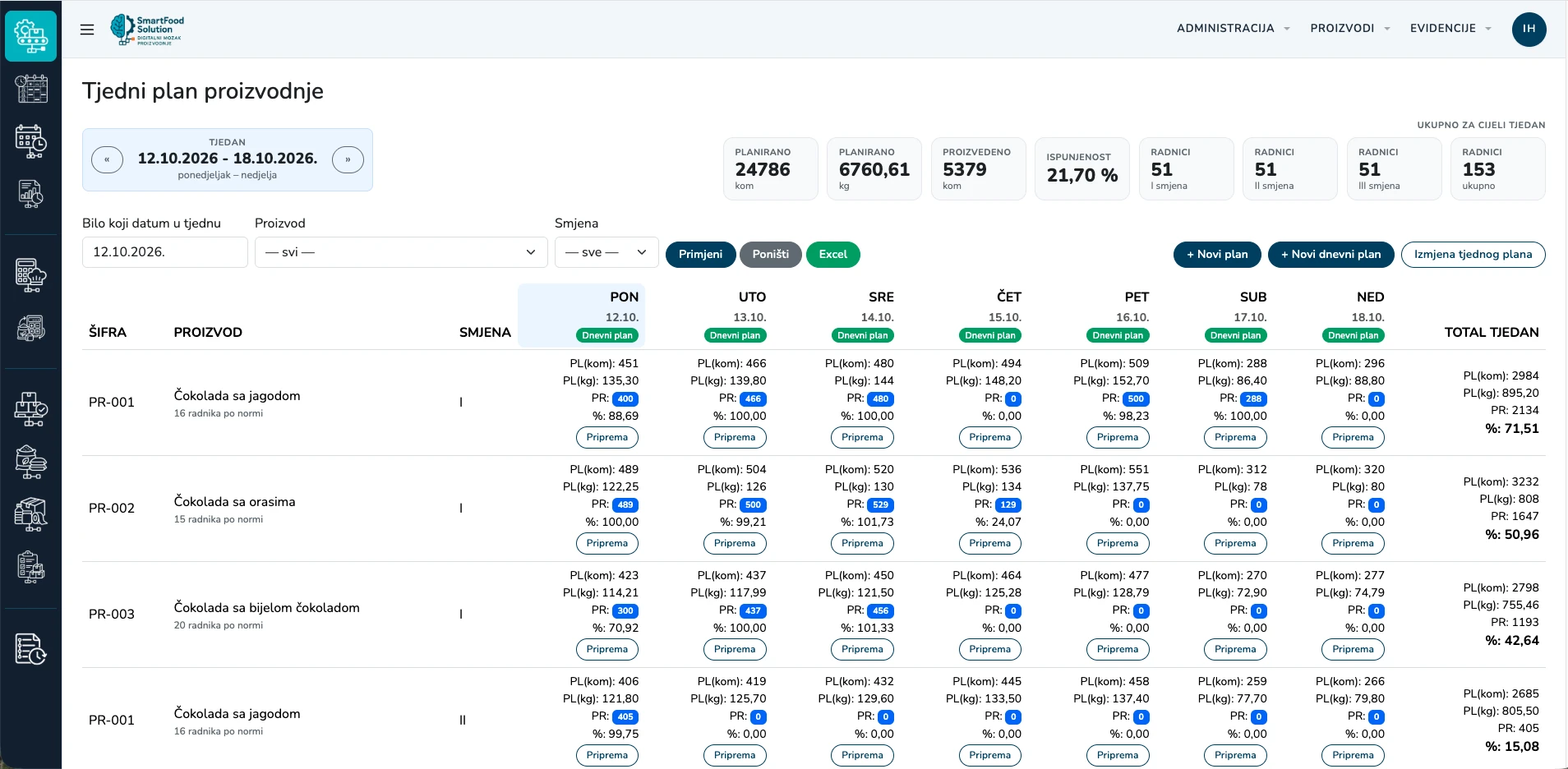
When staff availability changes, adjust the work schedule and keep track of your shifts.
Explore the solution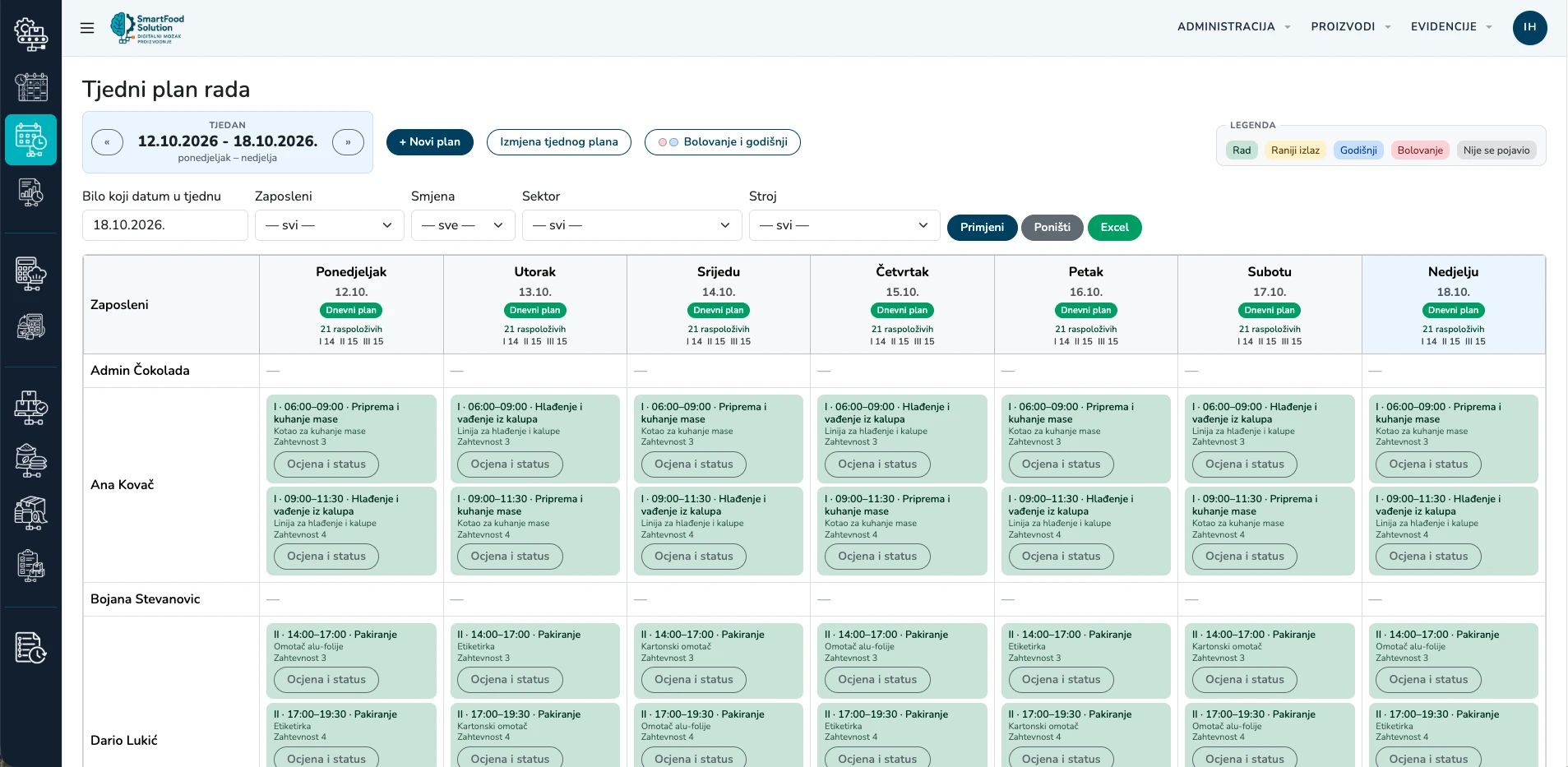
Find stock by raw material, warehouse and lot. Check available quantities and expiry dates before production preparation begins.
Explore the solution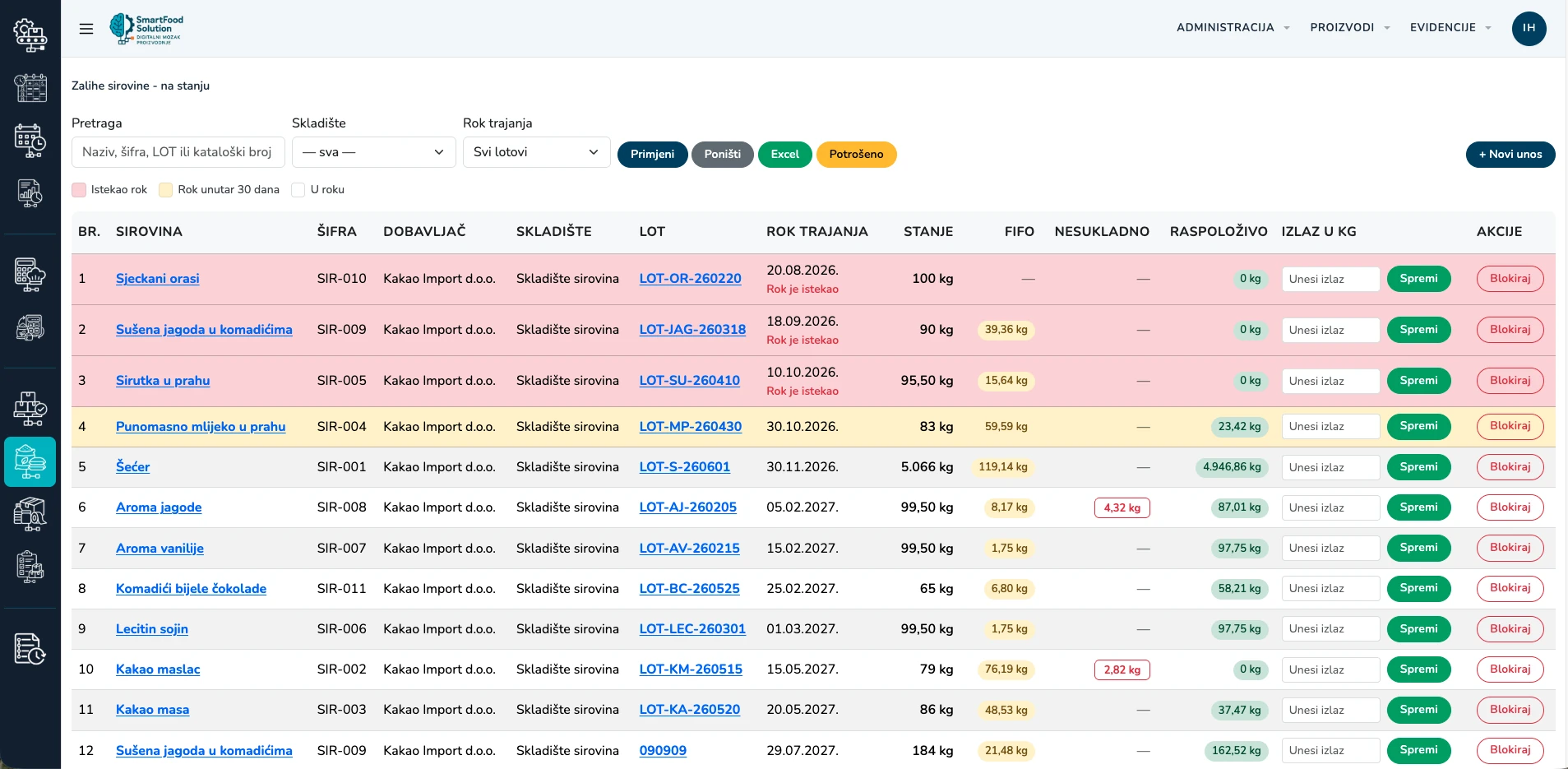
Link downtime and scrap to the product, line and shift to better understand what happened.
Explore the solution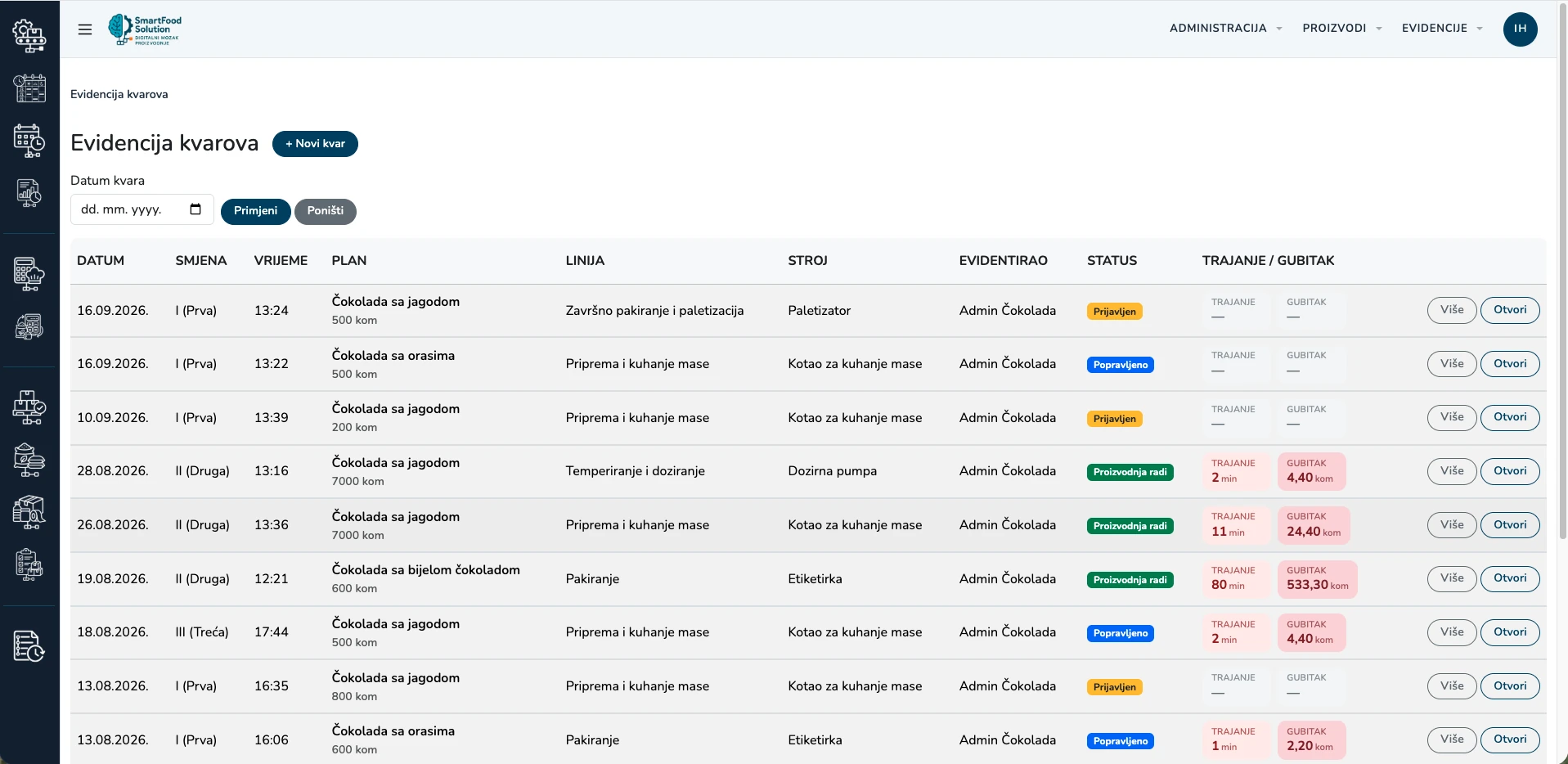
The plan connects work and people. Materials follow production. Records capture output and deviations.
Explore the part of the system that fits your workflow. We can start your demo there.
Batches, automatic ingredient calculations and FIFO reservations.
ExploreCheck material requirements or potential output without saving calculations.
ExplorePlan versus output, daily reporting, and scrap and downtime notifications.
ExploreStatus, messages and open items for the incoming shift.
ExploreIngredients, products and packaging, with stocktake and nonconformance records.
ExploreWho added, changed or deleted what in the system, and when.
ExploreYour ERP manages orders, items, customers and finance. SmartFood Solution covers the operational work between the production plan and actual execution.
The scope and method of data exchange are agreed around your existing ERP and workflow.
See integration in practice ↗Plans, orders, recipes and operational entries are available on the tablet. See how the areas connect during an operator's work, from preparation to recorded output.
Explore the workflowChange history shows who made a change, when and in which part of the system. Filter records by period, user, action or module to review what changed.
Croatian interface with sample data · Click to enlarge
Show us a real challenge. Together, we will explore the part of SmartFood Solution that matters to your workflow.